
Add a Bench
Subdividing your lab space into workstations.
A Lab can be further subdivided. A bench is a generic container where we can place chemicals and equipment. While we call it a bench this can be any special area of the lab, not just a physical laboratory bench.
Using benches is optional, but it can be a useful organizational practice. LabBelay has a complex Role Based Auth System (RBAC) which can give your users specific permissions over localized areas of a lab using benches. For example, a bench could be the "Common Equipment Area" where all equipment that is shared by all members of the lab is stored, and the privately owned benches can be given to only specific users to view or manage while the lab manager has permissions over all benches and can assign bench ownership to specific users.
Additionally you can store chemicals on specific benches or areas. We might have a flammables cabinet where we keep everything with a NFPA fire rating of 2 or more. Beaker will read the SDS sheet and the lab layout and detect that the flammables are in a cabinet on their own and that constitutes safe storage even if there are chemicals elsewhere in the lab that should not be stored with flammables. Without breaking the storage out into a specific bench, Beaker would be concerned about storing your flammables near other chemicals that they could react with.
To add a bench we open out the detail page of the lab that we want to add the bench to. We should still be on the lab detail page from when we created the lab. Scroll down to see the empty benches section and click the "+" icon to add a bench.
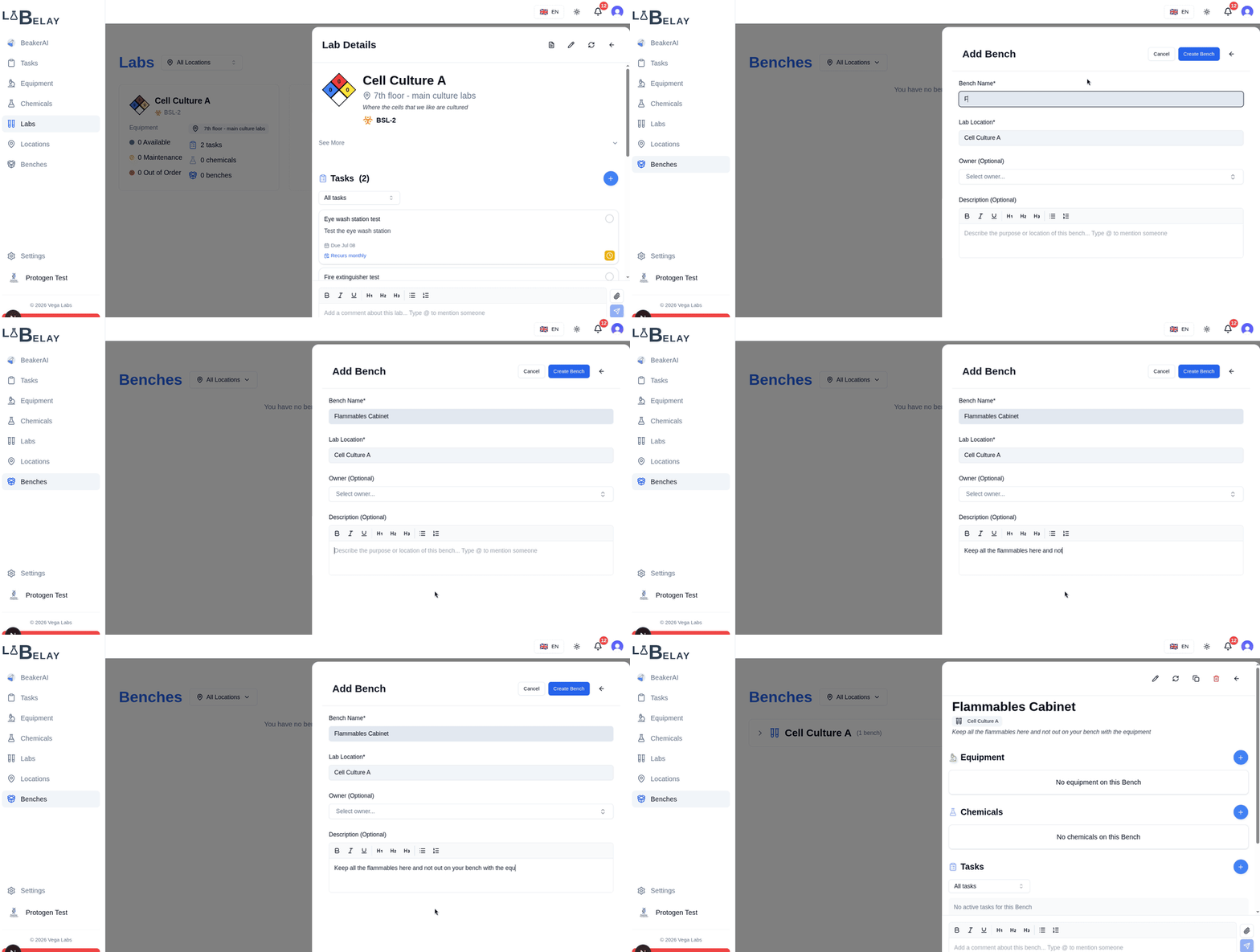
Benches are simple containers for chemicals and equipment. We can give it a name and a description. Benches must be placed inside of a laboratory. It's also useful to note that benches do not have their own signage or SDS compilations - these are handled for the entire laboratory. If you find yourself trying to have each bench with a doorsheet and an SDS compilation then you likely want to create a lab and not a bench.
Editing a bench
You can edit a bench by going to the bench detail page. This can be accessed two ways: first from the lab detail page you can click on the bench you wish to view, and secondly from our Benches overview and selecting the bench you would like to edit. Let's go to the bench that you just created.
Now that we're on the bench detail page, we can click the edit button in the top right and see while there isn't much we can edit the name, description and the owner.
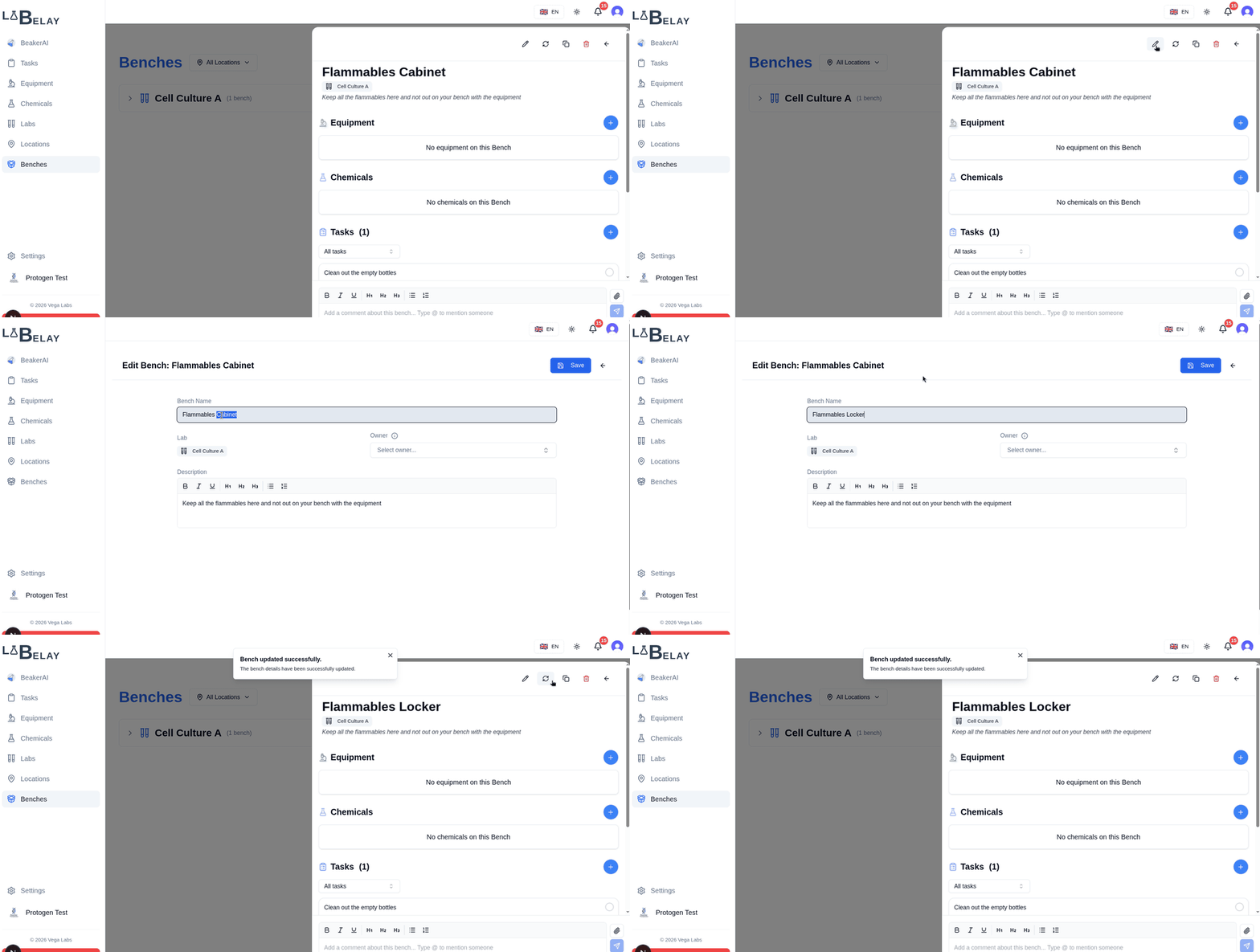
Benches cannot be moved to another lab.
Add bench related tasks
Benches can also have tasks associated with them. Let's make a monthly reminder to clean the empty bottles from the flammables cabinet.
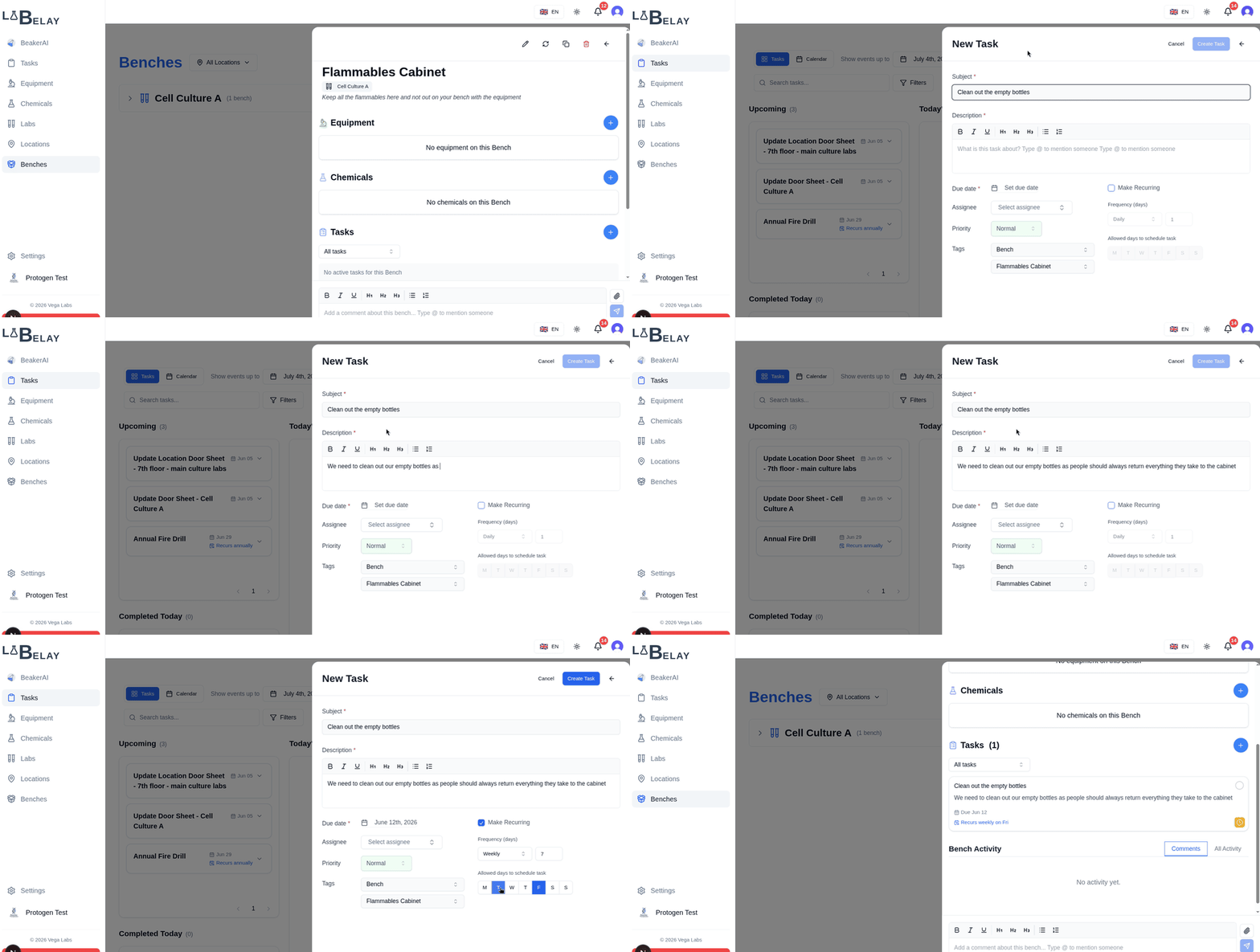
This functions exactly the same as our location and laboratory related tasks that we have been creating up in this tutorial.
Next Steps
Now with everything in place we can start adding chemicals and equipment to our lab and bench and put the AI to work.